
 Weiyi Lou
8b5142a3e9
Remove vimperator/tridactyl, flatten vim plugins
Weiyi Lou
8b5142a3e9
Remove vimperator/tridactyl, flatten vim plugins
|
il y a 1 an | |
|---|---|---|
| .. | ||
| alacritty | il y a 1 an | |
| autoload | il y a 1 an | |
| colors | il y a 1 an | |
| doc | il y a 1 an | |
| kitty | il y a 1 an | |
| templates | il y a 1 an | |
| tilix | il y a 1 an | |
| xresources | il y a 1 an | |
| zsh | il y a 1 an | |
| Anti-996-LICENSE | il y a 1 an | |
| LICENSE | il y a 1 an | |
| README.md | il y a 1 an | |
README.md
𝐕𝐚𝐧𝐢𝐥𝐥𝐚 𝐂𝐚𝐤𝐞
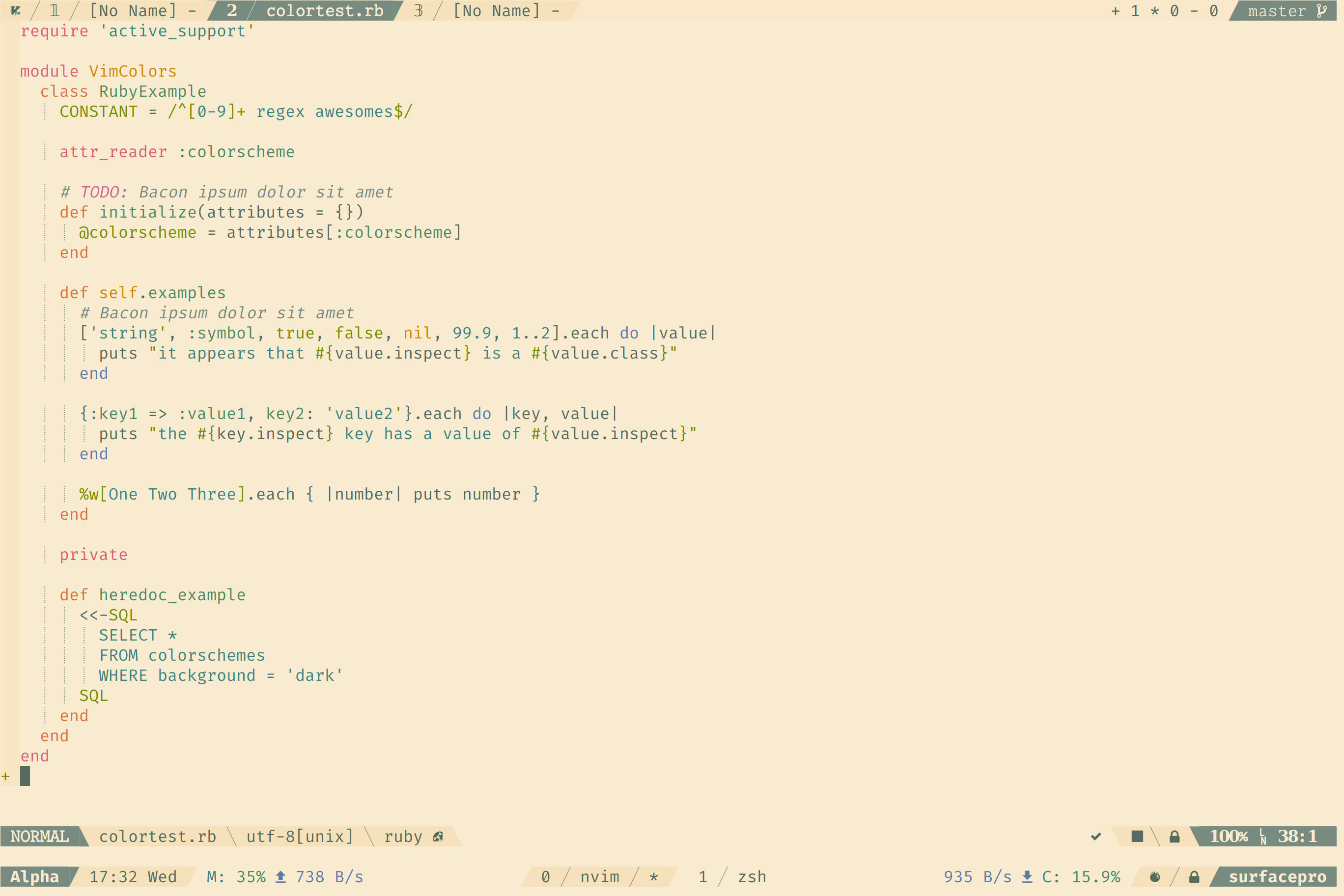
Installation
Via Plugin Manager
Take vim-plug for example:
Plug 'sainnhe/vim-color-vanilla-cake'
For better syntax highlighting support, please install sheerun/vim-polyglot.
Manually
- Clone this repository.
- Copy
/path/to/vim-color-vanilla-cake/colors/vanilla-cake.vimto~/.vim/colors/vanilla-cake.vim - To install lightline theme, copy
/path/to/vim-color-vanilla-cake/autoload/lightline/colorscheme/vanilla_cake.vimto~/.vim/autoload/lightline/colorscheme/vanilla_cake.vim
Usage
Vim
Put this in your vimrc:
set termguicolors
colorscheme vanilla-cake
If you want to apply this color scheme temporarily, run these commands in vim:
:set termguicolors
:colorscheme vanilla-cake
Lightline
To enable lightline color scheme, put this in your vimrc
let g:lightline = {}
let g:lightline.colorscheme = 'vanilla_cake'

" or this line
let g:lightline = {'colorscheme' : 'vanilla_cake'}
To apply it without reloading:
:let g:lightline.colorscheme = 'vanilla_cake'
:call lightline#init()
:call lightline#colorscheme()
:call lightline#update()
Tmux Status Line
Check this gist.
Zsh
Terminal Emulators
Xresources
FAQ
Q: It doesn't work as expected.
A:
This color scheme is designed for true colors,
set termguicolorsis required. Check output ofvim --version, maybe your vim doesn't supporttermguicolorsMaybe your terminal emulator doesn't support true colors, you can test it using this script
If you are running vim in tmux, you need to override default true colors of tmux, as tmux cannot display true color properly: #1246 How to use true colors in vim under tmux?
There are many highlighting group links in syntax files while a color scheme may change them, enabling one color scheme based on another color scheme enabled is very likely to cause color broken. If there is any color broken, you can enable the color scheme in your vimrc instead of after vim startup.
Q: What's your status line configuration?
A: check this gist.
Contribution
Check this gist for detailed instructions to hack this color scheme: hack-color-schemes.md